A reference list can look clean after copying from a PDF and still be wrong in ways that matter. One missing initial, broken DOI, or swapped journal issue can make a source hard to find or cite.
Reliable PDF reference extraction keeps each citation connected to its original page, nearby text, and a record of how the data was obtained. That trail lets you correct errors instead of trusting a polished but unsupported export.
Use the workflow below when you need citation extraction that produces auditable records for literature reviews involving academic literature, research papers, dissertations, evidence tables, or a research database.
PDF Reference Extraction Starts With Evidence, Not Text
Citation extraction is more than copying formatted text. It links each bibliography entry to the document, page location, citation label, and any related in-text mention.
A bibliography contains visible text, but information extraction must also preserve the evidence behind each entry.
Keep the raw reference and its location
During citation extraction, store the unedited reference string before splitting it into fields. Also record the file name, a stable document ID, the PDF page number, and the printed page number when they differ.
For example, a viewer may identify a bibliography page as PDF p. 47, while the page itself is numbered 39. Keeping both saves time when a supervisor, librarian, or collaborator checks the source.
If your tool supports coordinates, retain the reference block's bounding box as well. This is especially helpful when a page contains two columns, footnotes, or several separate bibliographies. These retained relationships can also support a knowledge graph for later scholarly relationship mapping.
Capture fields without discarding provenance
A usable record for bibliographic references commonly includes authors, title, container title, publication year, volume, issue, pages, DOI or other identifier, and citation style. However, missing fields should remain blank or carry a review flag.
Don't let a parser silently guess a publication year or expand an abbreviated journal title. Preserve the original text and add a field such as review_status so later corrections remain traceable.
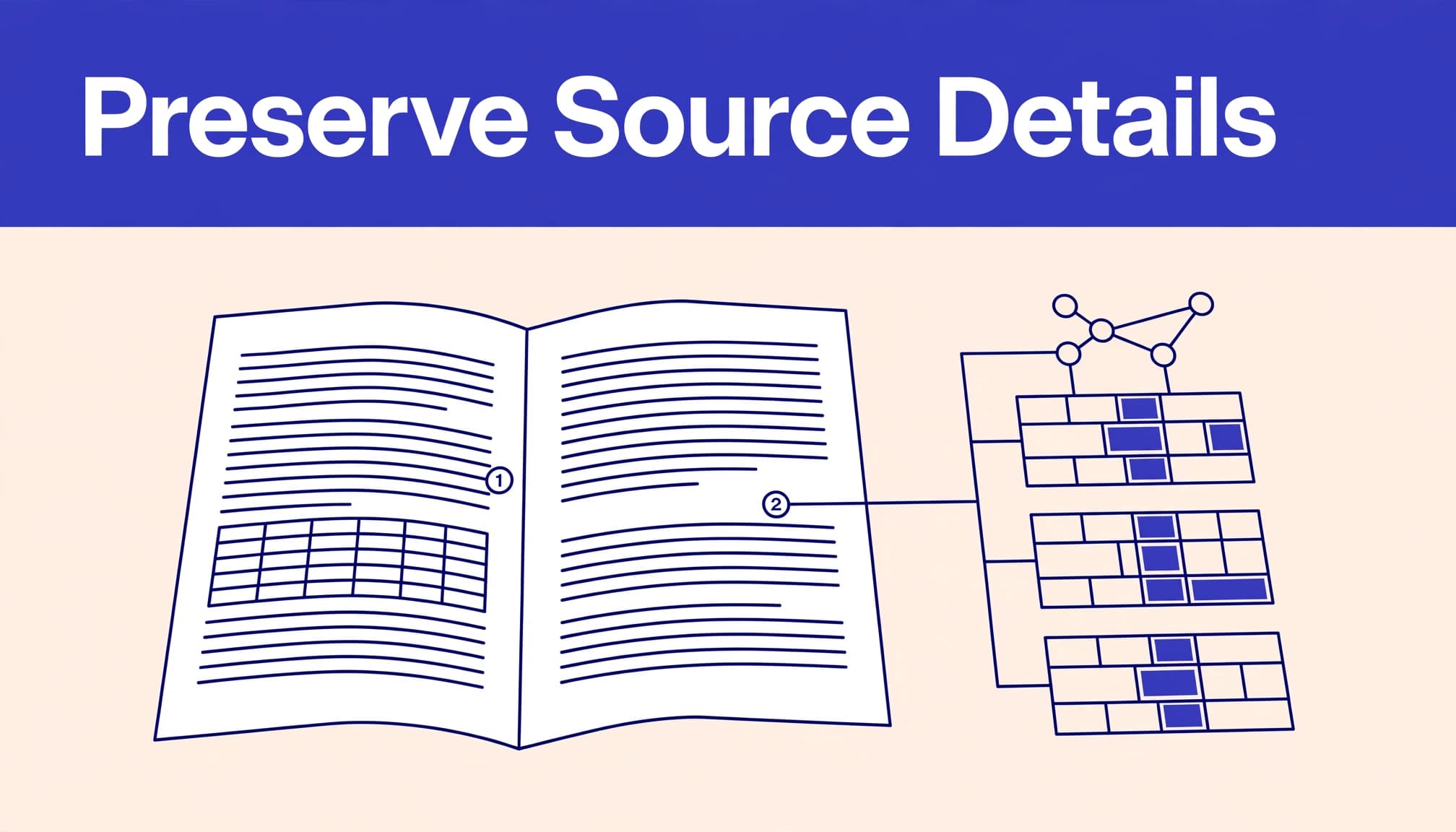
A normalized citation is useful, but citation extraction remains auditable only when the original reference string and page location stay traceable.
Step 1: Identify What Kind of PDF You Have
Start with the file itself. Born-digital research papers use text-based PDF documents, while scans need a different process.
Test text selection before extracting
Open several pages and try searching, selecting, and copying a sentence. If the result is readable, begin with a text-based parser for citation extraction and broader information extraction. Still test a dense page, a page with footnotes, and the reference list because text order can fail even when individual words copy correctly.
A digital PDF may store words by visual position rather than reading sequence. Use layout detection for dense or multi-column pages, and test table recognition when tables or nearby content can disrupt extraction.
Prepare scans with OCR, but keep the original
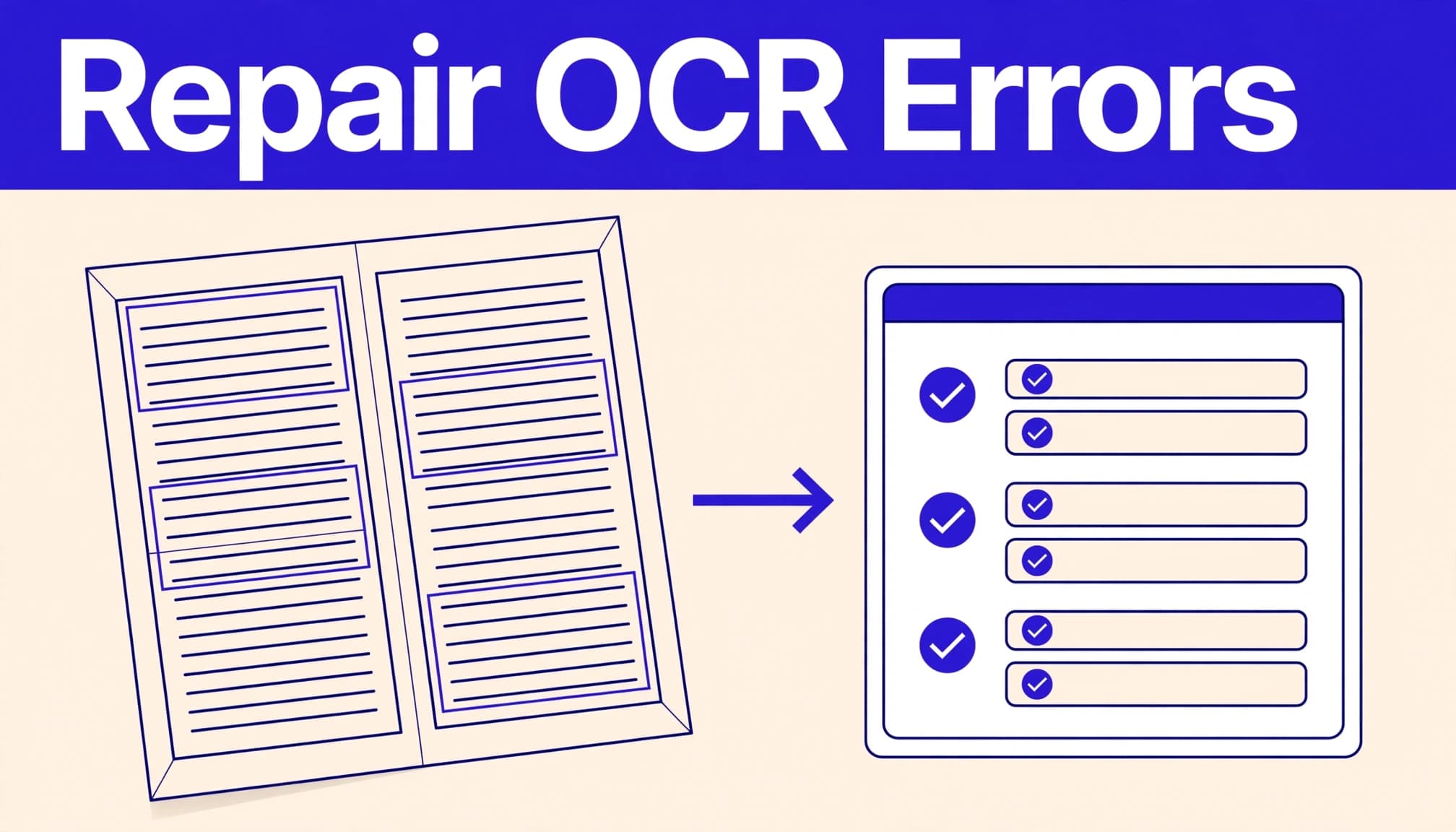
If you cannot select text, the PDF is likely image-based and needs optical character recognition first. OCR creates a searchable working copy from image-based PDF documents. Its output may remain unstructured text, so later natural language processing can support language-aware handling without automatically correcting OCR errors. IBM's overview of OCR describes its use for scanned documents, images, and image-only PDFs.
Create a separate searchable working copy rather than overwriting the original. Pick the right language settings, then repeat citation extraction checks on the first page, a dense middle page, and the bibliography. Check author names, accents, ligatures, hyphenated words, superscript citation numbers, zeros, ones, and lowercase L characters.
Low-quality OCR can turn a DOI into a dead link or change "2018" to "2013." Those errors often look plausible, so they need visual review.
Step 2: Extract References With Layout in Mind
Once the PDF is searchable, use citation extraction to locate the bibliography heading and candidate entries. Citation extraction should preserve page regions instead of producing one long stream of unstructured text.
Separate the reference list from nearby content
Start citation extraction by locating headings such as "References," "Bibliography," or "Works Cited." Use layout detection to identify the bibliography region, especially when it shares a page with appendices, acknowledgments, footnotes, or an index.
Record the heading text, page range, and raw text for each candidate reference. During citation extraction, join wrapped records only when the page layout supports that decision. A hanging indent often indicates a continuation of the prior reference, while a new label or author line may indicate a new record.
For difficult layouts, inspect the visual page before changing line breaks. Citation extraction can fail when two-column pages, tables, or unusual spacing confuse layout detection. Table recognition may also affect how region boundaries are identified. Rule-based systems can help with consistent reference labels, but layout variation can break fixed rules.
Treat in-text citations as linked evidence
Bibliography entries alone don't show whether the article cites each source in the body. Citation extraction should also capture in-text markers, such as author-year references or bracketed numbers, with page locations when your project needs claim-level source checking. Natural language processing can help identify these markers, but ambiguous matches still need flags.
During citation extraction, map each in-text marker to its likely bibliography entry. A second citation extraction pass can connect page regions with citation markers through layout detection. Consider how citation styles affect segmentation and matching, since numbered systems differ from author-year formats.
Keep the citation extraction map between each in-text marker and its likely bibliography entry, but flag ambiguous matches. Natural language processing can recognize shortened names, suffixes, and multiple works from the same year, but it shouldn't replace review. Numbered citation systems can restart in appendices, and author-year styles may use shortened names, suffixes, or multiple works from the same year.
Step 3: Parse Fields Into Structured Records
After extraction, convert each reference into structured data for reliable citation extraction from PDF documents. Keep the raw source text beside the parsed fields so future users can see what changed.
Use JSON for practical review and export
JSON works well for batch pipelines and citation extraction because it can hold clean fields, raw text, page references, warnings, and multiple identifiers in one record. A record might include source_file, pdf_page, printed_page, reference_label, raw_reference, doi, authors, and review_status.
Natural language processing can assist field parsing, but it should reflect the source rather than fill gaps. Natural language processing can also support title and author normalization while preserving the original values.
This structure handles uncertainty better than a flat spreadsheet. A record with a missing issue number can remain complete enough for review without pretending the information exists.
Use XML or TEI when document structure matters
XML is useful when you need to preserve a paper's hierarchy, including title, abstract, sections, figures, citations, and references. It also supports citation extraction from scholarly articles while retaining document context.
The open-source GROBID project is an open source toolkit that parses PDF documents into structured XML/TEI. It’s a strong option for technical teams handling citation extraction at scale, although its XML/TEI output still requires review.
Rule-based systems can work well for consistent templates and citation extraction. However, they often break when punctuation, citation styles, or page design changes. Machine learning models adapt better to varied layouts, while neural network models can classify citations and other reference elements. Natural language processing can support citation classification, but it doesn’t guarantee correct results.
Different data extraction tools suit different needs, from parser-based workflows to reference-focused systems and batch processing. Layout detection compares visual regions, including headings, figures, tables, and bibliography blocks. In two-column structures, layout detection helps keep reading order intact. Layout-aware models then use layout detection to distinguish headings, figures, and bibliography blocks. With layout detection, table recognition can prevent tabular content from being mistaken for reference text.
Natural language processing can support title and author normalization in citation extraction workflows. Large language models can suggest normalized titles, flag likely duplicates, and identify incomplete fields. They must not invent missing metadata.
Automated information extraction remains dependent on source quality and verification. During citation extraction review, large language models can flag proposed changes, but they must not invent metadata. Verified citation relationships can later support a knowledge graph without adding an unverified workflow.
Step 4: Verify DOIs, Missing Fields, and Citation Styles
Extraction produces candidates, not final truth. Validation catches broken links, OCR mistakes, duplicate entries, and style-driven inconsistencies before they enter your reference manager or database.
Match metadata against an authoritative record
First, during citation extraction, test a DOI after removing line-break hyphens and stray punctuation. If it fails, search using the title, first author, year, and journal details instead of trusting the broken string.
For a title-author-year fallback, citation extraction should compare the result with an authoritative record. Crossref's REST API documentation explains that its metadata can include bibliographic information, funding details, licenses, ORCID identifiers, ROR IDs, abstracts, and post-publication updates.
Use a match as corroboration, then compare the returned title, author list, year, and venue with both the PDF reference and the cited work's landing page. Natural language processing can compare names, titles, and citation components, but it can't establish source identity.
A close title match is not enough. Similar article titles, preprints, corrections, and conference versions can refer to different records. Citation extraction should preserve these distinctions rather than merge similar records.
Normalize style only after checking the source
APA, MLA, Chicago, Vancouver, IEEE, and journal-specific citation styles arrange the same facts differently. Parse the underlying fields first, then generate a chosen style later.
Citation extraction should validate field-level structured data before export. Keep dates in a clear machine-readable form when possible, and normalize document formatting only after checking the underlying bibliographic facts.
Preserve citation suffixes such as "2020a" and "2020b" when they distinguish two works by the same author in the same year.
A valid DOI confirms neither that the PDF cited it correctly nor that the reference supports a particular claim.
For a broader metadata search, Crossref Metadata Search can help locate candidate records when a DOI is missing. Citation extraction should mark uncertain matches for manual review rather than merging them automatically. Large language models may suggest corrections, but they can also hallucinate metadata.
Step 5: Batch-Process Papers Without Losing Control
A collection of 300 research papers needs repeatability, not blind automation. Test batch processing on a small, difficult sample before running the full set.
Include citation extraction in the sample review, and compare results against the source pages. For mixed PDF documents, confirm that each file follows the expected processing path.
Build a file-level audit trail
Assign every input file a stable ID. Retain its original filename, checksum if available, page count, processing date, and OCR language.
Record the parser version, natural language processing model, and batch processing settings. Keep a separate output record for failed pages and citation extraction errors.
Retain difficult pages for review when layout detection or table recognition fails. Store quality checks from natural language processing, but don't treat them as a substitute for human review.
Use retries for temporary processing failures, but don't retry indefinitely. A corrupt PDF, password restriction, or unusual font needs a different handling path.
Deduplicate after verification
After citation extraction, duplicate records often arise when the same paper appears as a preprint and published article. They can also occur when a bibliography repeats an item in a supplement.
Compare DOI first, then compare normalized title, authors, year, and venue. Model-assisted normalization with large language models can help, but a reviewer must confirm the result.
Don't merge records only because their titles look similar. Poorly parsed records and unstructured text can create false matches, so keep both records until review.
A reference manager can retain the confirmed record, while a knowledge graph can preserve verified relationships for a research database.
When uploads contain unpublished research, student work, client material, or protected records, assess retention and access terms before using a web service. Private document research with source citations can help you evaluate a source-grounded workflow for sensitive files. Local OCR and local parsing may be the safer choice for restricted documents.
Key Takeaways
Preserve the original PDF, raw reference text, page locations, and citation extraction warnings beside normalized citation fields.
Run OCR on image-only PDFs, then use layout detection and table recognition to inspect hard pages with columns, footnotes, citations, and unusual fonts.
Use layout-aware extraction before using natural language processing or large language models to clean records or identify missing fields. Test a difficult sample before scaling to the full collection with batch processing.
Verify important citation extraction details against the original PDF and an authoritative metadata source before citing or importing records.
Keep uncertain matches, duplicates, and missing fields visible for human review.
FAQ
What causes the most reference extraction errors?
Scans, poor OCR, multi-column pages, line-wrapped references, footnotes, and mixed citation styles cause frequent citation extraction failures. OCR may read every character correctly but place text in the wrong order, while layout detection, table recognition, and style checks catch misplaced fields, punctuation, or field order.
Which tools work for automated PDF reference extraction?
GROBID is a well-known open-source choice for structured scholarly-document parsing and citation extraction. For smaller projects, a text extractor plus manual review may be enough. A reference manager or metadata search can help locate candidate records, but scanned and layout-difficult PDF documents often need more care than text-based files. Managed PDF and AI services can reduce setup work, but test them on difficult documents before scaling batch processing.
Can AI fix missing or broken reference details?
AI can suggest a normalized title, flag a malformed DOI, or identify likely duplicate records. Natural language processing and large language models can assist with classification or comparison, but they cannot prove a match and may invent authors, dates, page ranges, or identifiers. Compare every important correction with the page image and a trusted metadata source, especially for author names, dates, page ranges, and identifiers.
Keep Every Citation Traceable
Good reference extraction creates records that another person can inspect and reproduce. The goal isn't a tidy bibliography alone, but an auditable citation extraction chain from structured metadata back to the exact page in PDF documents and the original citation text.
When you preserve that chain, OCR mistakes, layout detection errors, reading-order problems, broken DOI links, and citation-style differences remain visible and reviewable. Natural language processing can assist with difficult cases, but large language models and automated normalization don't replace source review.