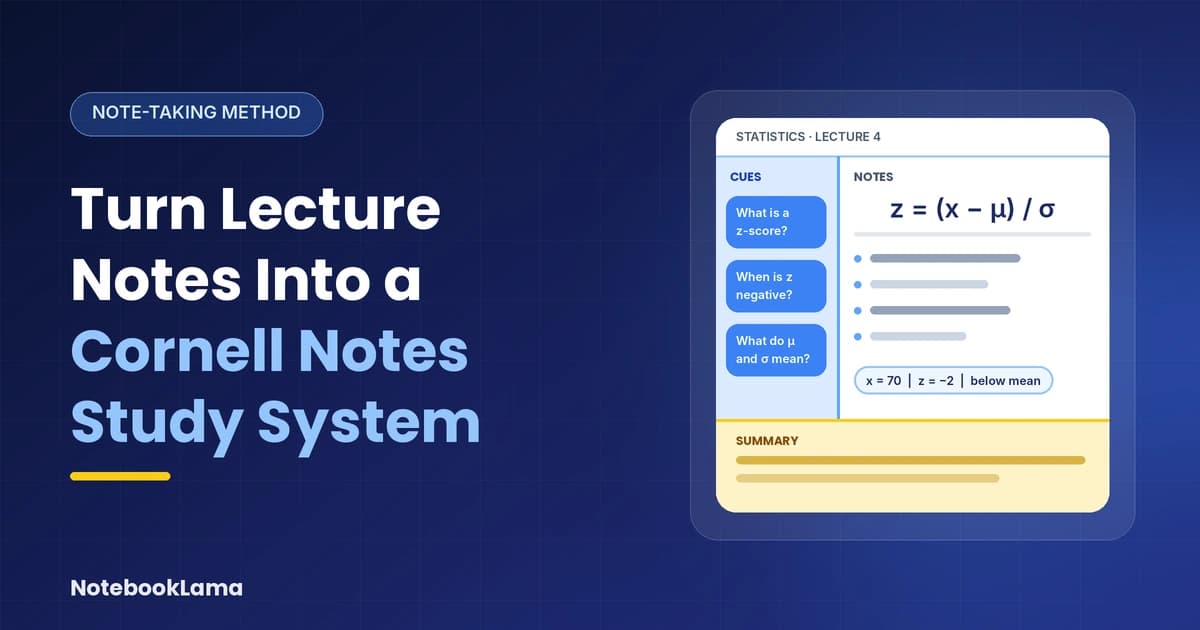
Messy lecture notes can be difficult to revise when they contain unfinished sentences, copied slides, and scattered definitions. The Cornell Note-Taking System gives those notes a clear structure: a main notes area, a column of questions, and a short summary that helps you recall what you learned.
The real benefit comes after the lecture, when you turn your notes into questions and use them to test your understanding.
What Is the Cornell Note-Taking System?
The Cornell Note-Taking System is a structured method developed by Walter Pauk, a professor at Cornell University. It organises lecture material into three sections so that taking notes and reviewing them become part of the same process.
The Three Sections of a Cornell Notes Page
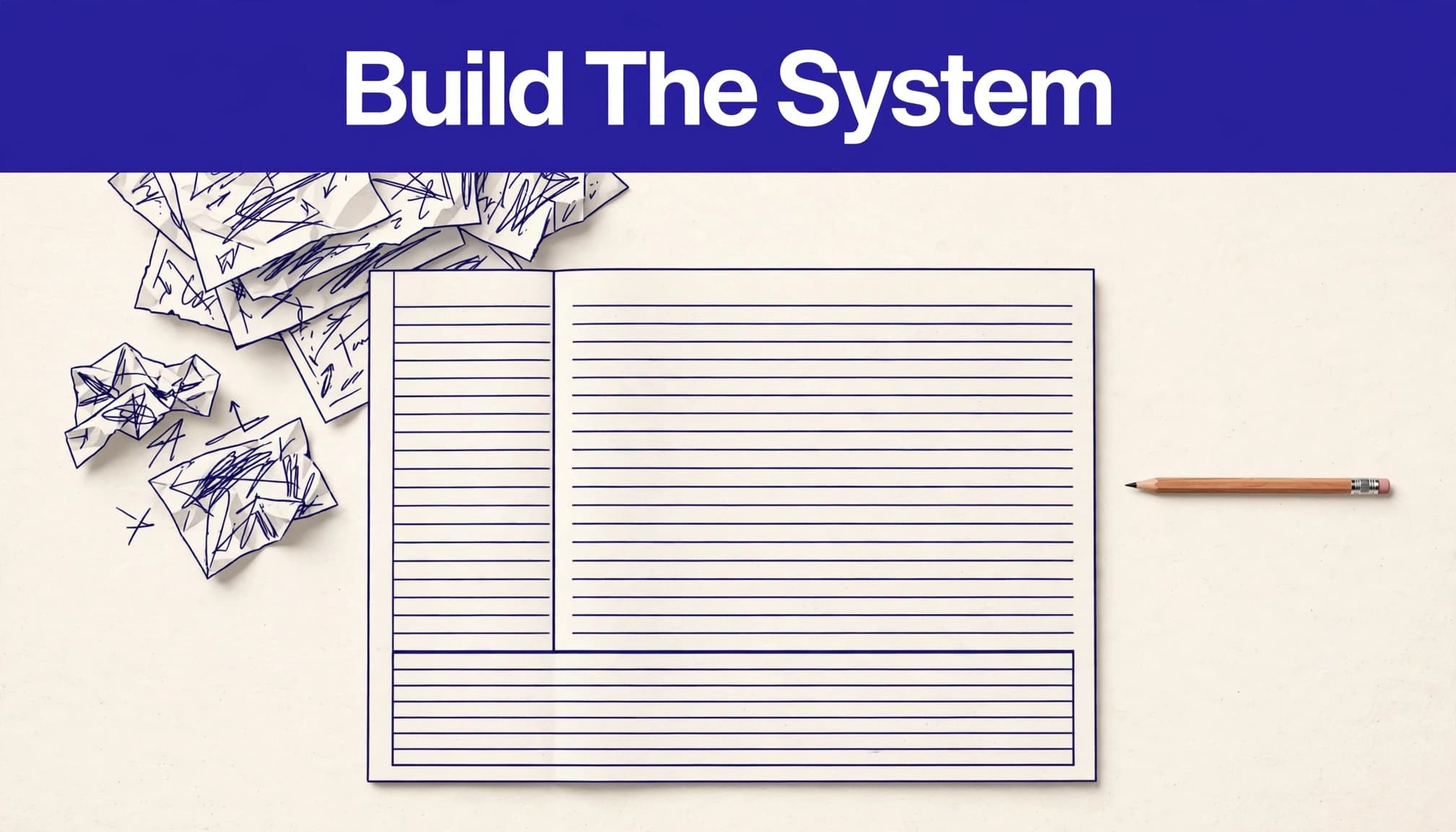
A traditional Cornell page has three main areas:
Section | What goes here | Purpose |
|---|---|---|
Notes column | Main ideas, explanations, examples, diagrams, and formulas | Captures important lecture information |
Cue column | Questions, keywords, definitions, and prompts | Helps you retrieve information without looking |
Summary section | A short explanation of the page's main ideas | Connects the important points in your own words |
Image placement: Add a preview of the printable Cornell template here, showing the cue column, main notes area, and bottom summary section.
The left column is not meant to repeat the lecture notes. It should contain prompts that make you think. The bottom section is where you summarize the main idea after you have understood the material.
This structure makes one page useful for both recording information and practicing recall.
How to Set Up a Cornell Notes Page
You can use a notebook, a printed sheet, a tablet, or a digital document. The layout matters more than the device.
Create the Three-Part Layout
On a standard letter-size page, leave approximately 2 to 2.5 inches on the left for cues. Use the remaining width for the main notes.
Draw a horizontal line around 2 inches above the bottom of the page. This creates the summary area.
Add the course name, lecture title, and date at the top. This makes individual pages easier to organize when you have notes from several subjects.
Cornell University's Learning Strategies Center provides guidance on this notes, cues, and summary structure.
Keep the Main Notes Area Flexible
Your notes column does not need to look like a finished textbook. Use short paragraphs, bullets, arrows, headings, quick sketches, and diagrams to capture the lecture.
Leave some space when the lecturer moves to a new topic. Mark definitions, examples, formulas, and concepts that appear repeatedly or connect to learning objectives.
You can organize the page more carefully after class. During the lecture, focus on capturing the information you will need to understand later.
Turn Raw Lecture Notes Into Cornell Notes After Class
The first version of your notes does not need to be perfect. Set aside around 15 to 30 minutes after class to organize one lecture or topic while the material is still familiar.
Repair Missing Information Without Rewriting Everything
Read your notes alongside the lecture slides, textbook, or assigned reading. Fill in missing context and correct unclear abbreviations.
For example, a note that says "inhibits it" does not explain what is being inhibited. Rewrite it as a complete relationship, such as "the parasympathetic nervous system lowers heart rate," if that is what the lecture and supporting material establish.
Remove repeated slide text and unrelated reminders, but keep technical terminology accurate. In science, mathematics, medicine, law, and history, a missing condition, unit, date, or exception can change the meaning of a statement.
A Cornell page should not become a word-for-word transcript. Keep the information you need to explain and apply later.
Write Notes in Your Own Compact Language
Paraphrase the lecture instead of copying every sentence. Use abbreviations you understand, short phrases, and arrows to show relationships.
For example, in a statistics lecture, raw notes might contain:
A z-score measures how far a value is from the mean.
It is expressed in standard deviations.
A negative score is below the mean.
A positive score is above the mean.
These points are easier to review than a long copied paragraph, provided you retain the formula and define its symbols.
The aim is not to make notes as short as possible. It is to make them clear enough that you can reconstruct the explanation when revising.
Build Effective Cues and Questions
The cue column is what turns ordinary lecture notes into a study system. It should make you retrieve information rather than simply recognise a heading.
Turn Statements Into Specific Questions
After class, read each section of the notes column and create questions that test one important idea at a time.
For example, if your lecture covers z-scores, your notes and cues might look like this:
Main notes | Cue column |
|---|---|
A z-score shows how many standard deviations a value is from the mean. | What does a z-score measure? |
A positive z-score represents a value above the mean. | What does a positive z-score indicate? |
A negative z-score represents a value below the mean. | When is a z-score negative? |
(z = \frac{x-\mu}{\sigma}) | What do (x), (\mu), and (\sigma) represent? |
Each question has a clear target. When revising, you can cover the notes column and try to answer the questions without looking.
Avoid broad prompts such as "Statistics" or "Chapter 4." They do not tell you what information you need to recall.
Include Definitions, Formulas, and Conditions
For subjects involving calculations, do not record an equation without explaining its symbols and when it applies.
For example:
[
z = \frac{x-\mu}{\sigma}
]
Where:
(x) = observed value
(\mu) = population mean
(\sigma) = population standard deviation
If a value is 70, the mean is 80, and the standard deviation is 5:
[
z = \frac{70-80}{5}=-2
]
A useful cue might be: "What does a z-score of -2 tell us about the observed value?"
Include units, assumptions, and conditions wherever they matter. This prevents you from memorising a formula without understanding when to use it.
Write the Summary After Understanding the Page
The summary section should capture the main idea in a few sentences. Do not copy the first paragraph of your notes.
For the z-score example, a summary could be:
"A z-score describes the position of an observed value relative to the mean in standard deviation units. Positive values are above the mean, while negative values are below it. The formula can be used to compare how far values are from the mean."
Writing this summary forces you to connect the separate points rather than simply list them.
Review Cornell Notes Using Active Recall
Writing questions is only the beginning. The real study value comes from using those questions to retrieve information from memory.
Use the Cover-and-Recall Method
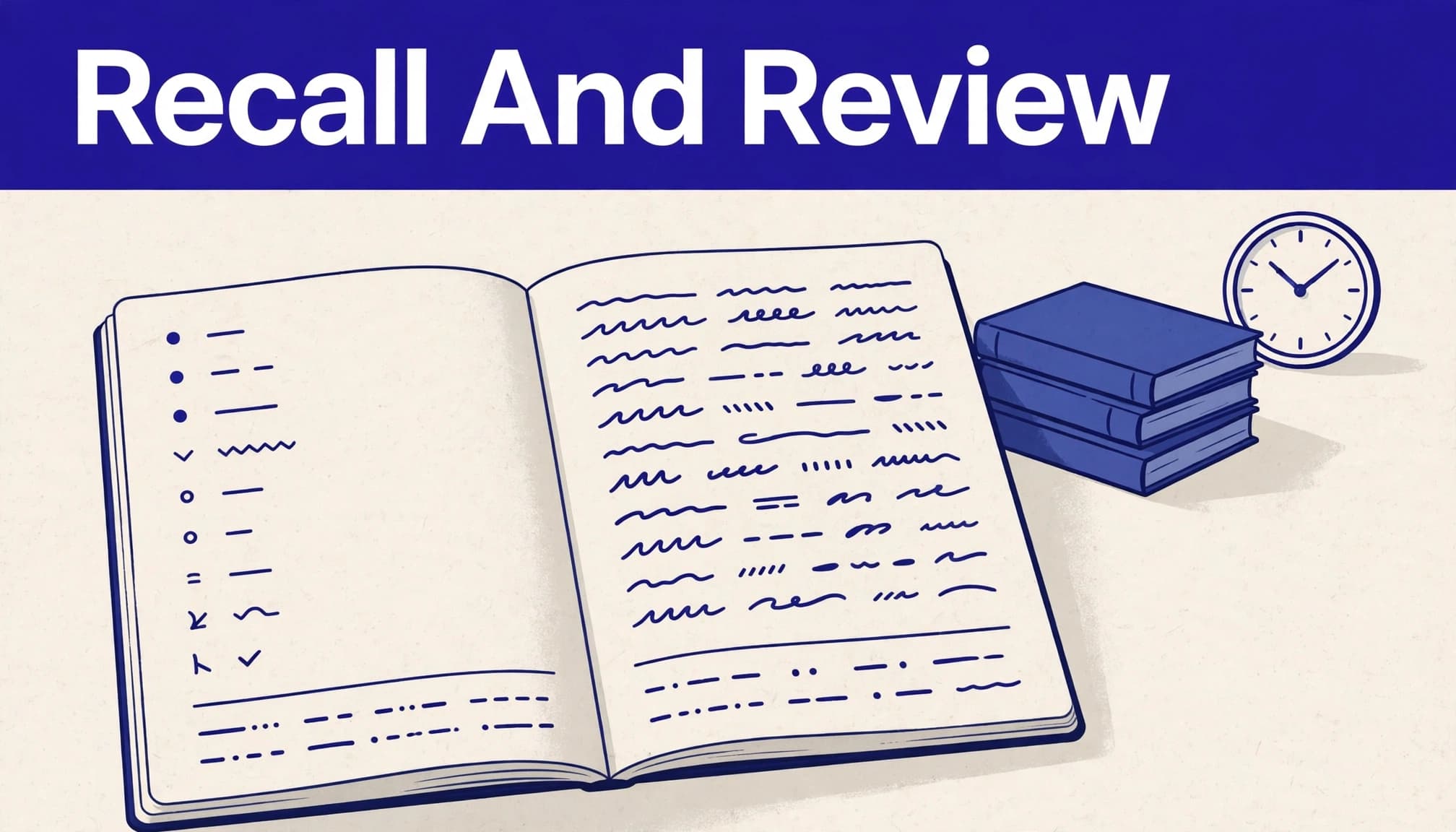
Within a day of the lecture, cover the notes column with a sheet of paper or your hand.
Read each cue and answer from memory. You can respond aloud, write a sentence, draw a diagram, or solve a calculation.
Then uncover the notes and compare your answer. Correct missing details and mark anything you could not explain.
Don't simply read the correct answer and move on. Try answering the same cue again after checking it.
Review Your Notes at Intervals
Instead of revising every page only before an exam, return to your Cornell notes at intervals.
A practical schedule is:
After class: Complete the cues and summary.
The next day: Test yourself using the cue column.
A few days later: Review difficult questions again.
About a week later: Revisit the full page and check what you still remember.
Before the exam: Focus on weak cues and connections between topics.
You do not need to follow these intervals rigidly. Spend more time on concepts you struggle to explain and less time on material you can already recall confidently.
When several pages cover the same unit, compare their summaries and create questions that connect the topics. For example: "How does the concept from last week's lecture relate to this week's model?"
Handwritten, Digital, or AI-Assisted Cornell Notes?
You can use the Cornell method with paper, a tablet, or a digital document. Choose the format that makes it easiest for you to take notes and return to them consistently.
What Handwriting Research Actually Shows
A well-known 2014 study by Pam Mueller and Daniel Oppenheimer, published in Psychological Science, compared students taking notes by hand and on laptops across three studies. The researchers reported that laptop note-takers performed worse on conceptual questions in their experiments and were more likely to transcribe lectures verbatim.
However, the result needs a replication caveat. A 2021 direct replication of the first experiment, by Urry and colleagues, found that laptop participants took more words and more verbatim notes, but did not perform worse than longhand participants on the quiz. Its exploratory mini-meta-analyses also did not support a general immediate-learning advantage for handwriting.
These studies do not establish that handwriting is always better than typing. A more useful takeaway is to avoid copying lectures word for word. Whether you write by hand or type, process the material, create meaningful cues, and practise recalling it.
You can read the original research and the later replication here:
Use AI to Organize Notes, Not Replace Your Understanding
AI can help turn lecture slides and readings into an outline, draft questions, or flashcards. It can also help explain a confusing definition or identify topics that appear repeatedly across a set of notes.
For example, you can ask:
Organize these lecture notes into a Cornell notes format. Put the main explanations in the notes column, create specific questions for the cue column, and write a short summary at the bottom. Keep the original technical terminology, formulas, units, and conditions. Do not add facts that are not supported by the uploaded material. Include slide or page references where available.
Review the output against your lecture slides and assigned readings before using it. Check formulas, dates, definitions, and exceptions carefully.
For a more detailed workflow, see our guide to creating study materials from lecture slides and notes. Replace this placeholder with the correct internal article URL before publishing.
AI-generated questions and summaries should be treated as drafts. Your course materials and instructor remain the authority on what you need to learn.
Common Problems With Cornell Notes and How to Fix Them
A neat layout does not automatically make notes useful. The quality of your questions and the way you review them matter more.
When Your Lecture Notes Are Incomplete
Mark unclear information with a question mark during class rather than stopping to reconstruct the entire explanation.
After class, use the recording, slides, assigned reading, or a classmate's notes to resolve the gap. If the source does not answer your question, write it down for your instructor or teaching assistant.
Do not fill missing information with a confident guess, particularly when it involves a formula, definition, or important exception.
When Your Cue Questions Are Too Broad
Replace prompts such as "Know the z-score formula" with questions that require a specific response:
What does a z-score measure?
What does a negative z-score indicate?
Which values are needed to calculate a z-score?
How would you interpret a z-score of -2?
If one cue requires a very long answer, divide it into smaller questions.
When Your Summary Repeats the Notes
A summary should explain the central idea and how the important points connect. If you are copying full sentences from the notes column, pause and rewrite the section in your own words.
What Does Research Say About Cornell Notes?
A 2026 study published in Frontiers in Psychology compared Cornell, parallel, digital, and sentence-based note-taking methods among 134 primary-level teacher candidates over five weeks.
The study measured academic achievement at different points, learning motivation, and perceived cognitive load. At the retention assessment, the Cornell group scored significantly higher than the sentence-note group in one corrected pairwise comparison. The study did not find significant differences between every method, and there were no significant pairwise differences at the post-test after correction.
The researchers also reported increased motivation in the Cornell and parallel-note groups. These findings are specific to the participants, course context, and study design. They should not be presented as proof that Cornell notes guarantee better grades or outperform every other note-taking method.
Read the full study in Frontiers in Psychology for its methods and results.
Key Takeaways
Divide each Cornell notes page into a main notes area, a cue column, and a summary section.
Complete your notes soon after class while the lecture is still familiar.
Turn important statements into specific questions that test recall.
Include definitions, formulas, units, and conditions rather than memorising incomplete information.
Cover the notes column and answer the cues from memory during revision.
Use AI to organise material and draft questions, but verify everything against your course sources.
Frequently Asked Questions
Who created the Cornell Note-Taking System?
Walter Pauk developed the Cornell Note-Taking System while teaching at Cornell University. It uses a structured page layout to combine note-taking, questioning, and summarising.
When should I write the summary section of Cornell notes?
Write the summary after the lecture or after completing a reading section. By then, you should be able to identify the main idea and explain how the important points connect.
Can I turn old lecture notes into Cornell notes?
Yes, Organize your existing notes by lecture or topic, remove repeated information, and transfer the important concepts into the main notes area. Then create questions in the cue column and write a short summary. Start with one topic rather than trying to reorganize an entire semester at once.
Are Cornell notes better on paper or digitally?
The Cornell method works in both formats. Paper can be convenient for drawing and handwriting, while digital notes make searching, editing, and organizing material easier. Choose the format you can maintain and review consistently.
Can AI convert lecture slides into Cornell notes?
AI can help organize lecture material into a notes section, draft cue questions, and create a summary. Check every output against the original slides or readings, especially technical terms, formulas, and exceptions. Do not use an unverified AI response as your only study source.
Make Every Cornell Notes Page Useful for Revision
The Cornell method works best when your notes do more than store information. The cue column gives you questions to answer, the notes column provides the evidence to check, and the summary helps you explain the topic in your own words.
Start with one lecture, complete the page soon after class, and return to it regularly. A simple format that you actually use will be more valuable than a perfectly designed notebook you rarely review.